Your AI assistant
Reads and structures
- Microsoft 365 Copilot
- Reads the fact-find, meeting notes and anything else you choose to share.
- Turns your request, in your own words, into the plan details Truecast needs.
Share your meeting notes with Microsoft 365 Copilot and get a draft cashflow plan in Truecast, ready for you to review. Every figure comes from Truecast’s cashflow calculation.

Once a plan is in Truecast, Copilot can update it, test ideas on it or look across every client you advise.
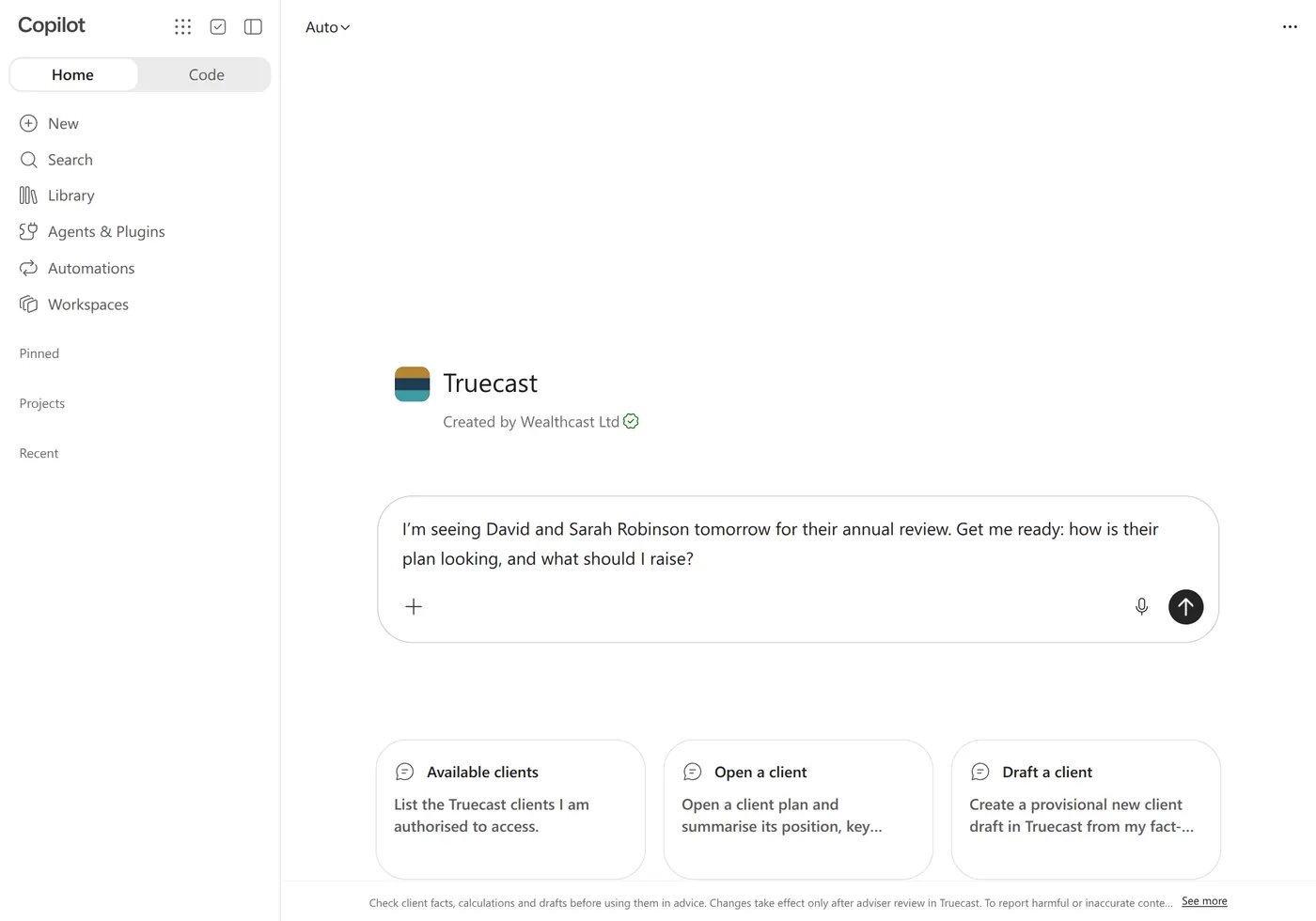
Seeing a client for their annual review? Ask your assistant where their plan stands. It reads the plan and saved scenarios from Truecast and sums up what to raise.
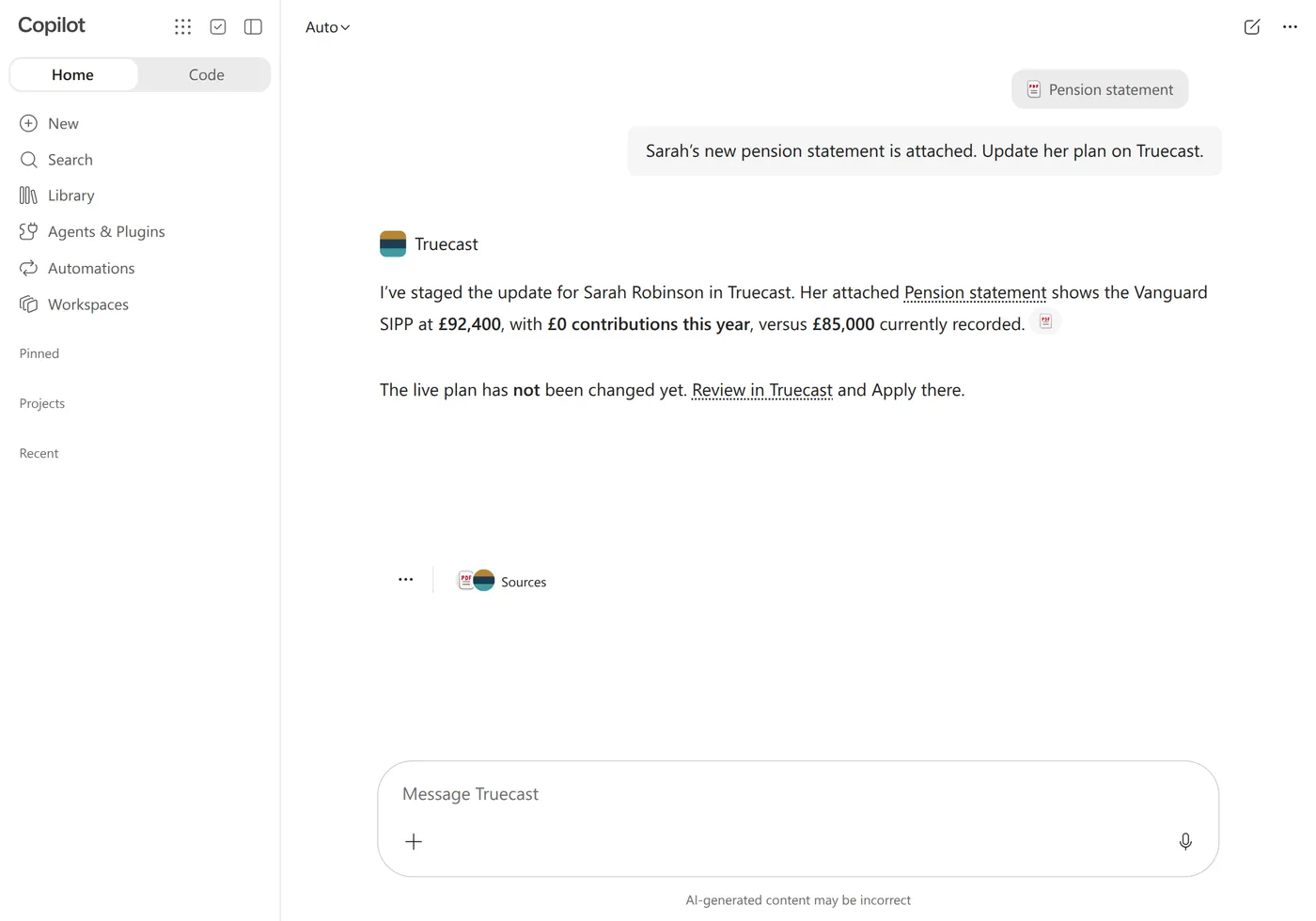
Tell your assistant what changed, or share the new statement. Truecast drafts the update for you to check and apply.
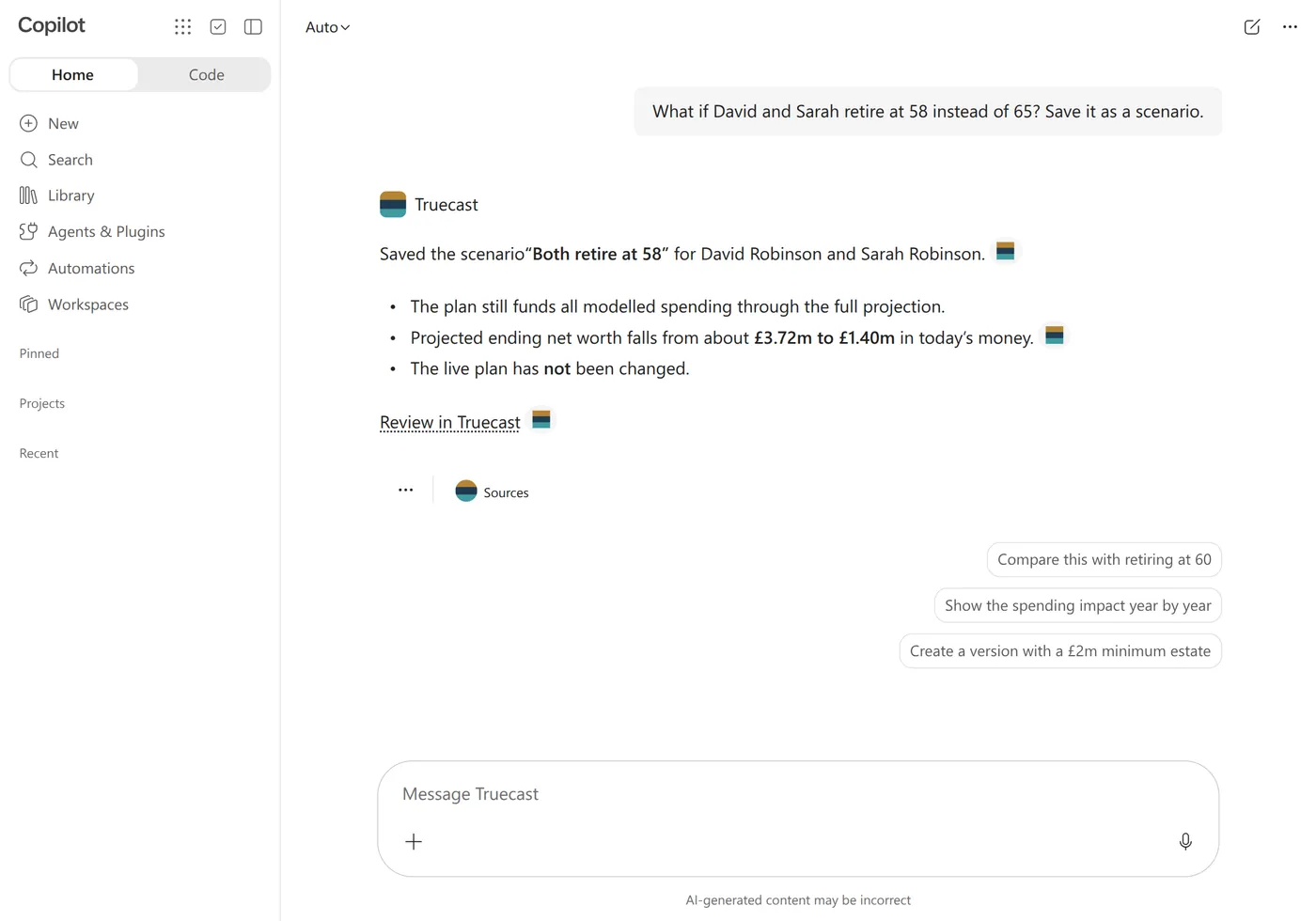
Ask what happens if a client retires earlier or gives more away. Truecast works it out and saves it as a scenario beside the plan. The client’s plan stays as it is.
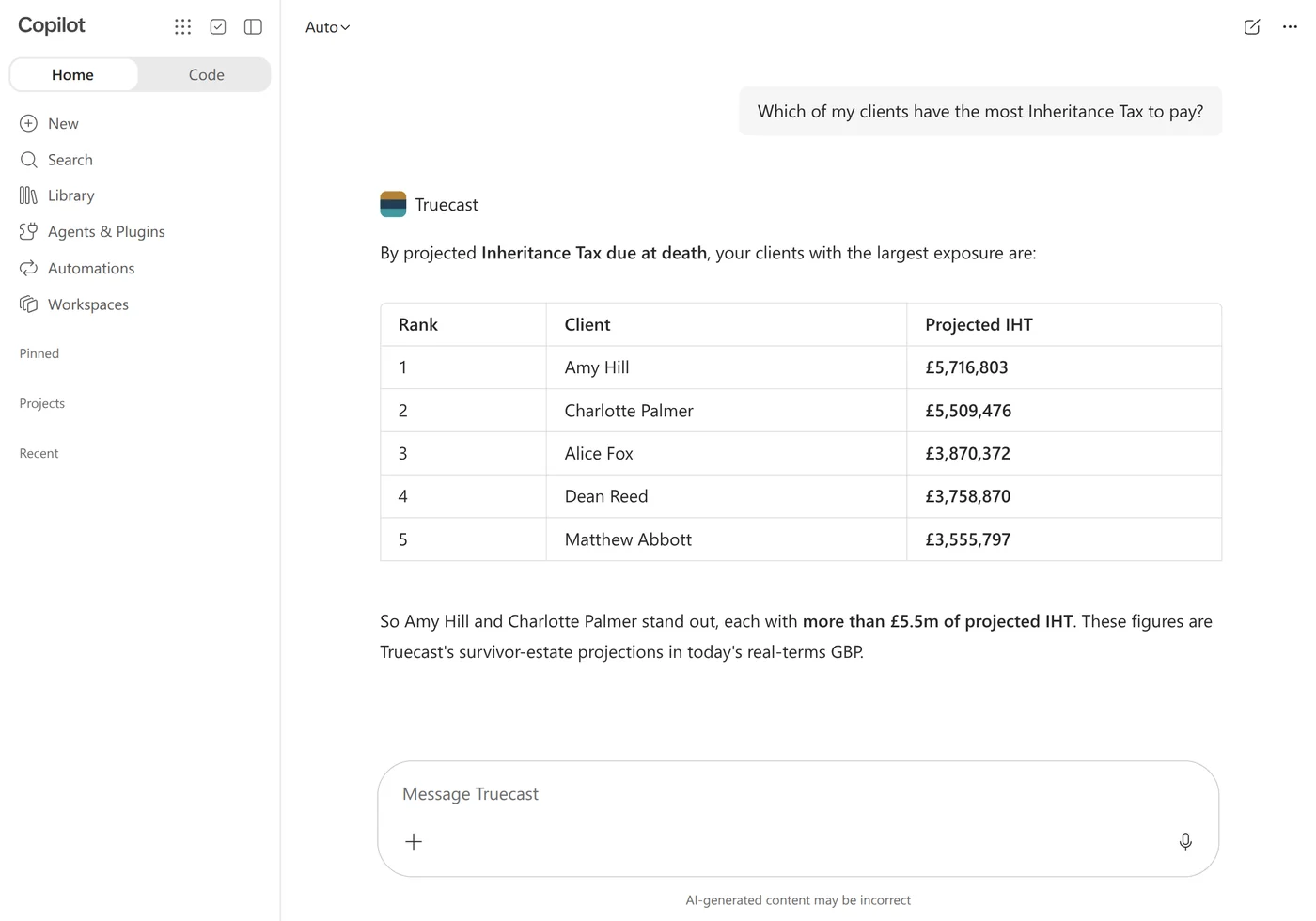
Ask one question across every plan you look after, such as which clients have the most Inheritance Tax to pay.
Each part does the job it is good at, so you can see where every figure in a plan comes from.
Your AI assistant
Truecast
No AI in the numbers. Truecast makes no AI calls. Every figure comes from its cashflow calculation.
You and your firm
Each person connects with their own Truecast sign-in and approves the permissions asked for. There is no shared connection.
A new-client draft becomes a client only when you save it. A client update changes the plan only when you apply it. A what-if scenario never changes the plan.
Each person can disconnect their assistant under Connected AI apps (MCP) in Settings. Removing someone from your firm ends their connections.
Something else? Email support@truecast.co.uk
Microsoft 365 Copilot, Claude and ChatGPT. We set up the connection for your firm during onboarding.
No. The assistant prepares the draft and Truecast calculates it. You check the client information, the assumptions and the result, then decide what goes into the advice.
No. Copilot can save a what-if scenario or a draft for you to review. A new-client draft becomes a client only when you save it. A client update changes the plan only when you apply it.
No. The Truecast app itself makes no AI calls, and we don’t use your data to train any AI model.
No. Truecast makes no AI calls. Every figure comes from its cashflow calculation. Your assistant works under your firm’s own plan with its provider.
Databases and file storage use Cloudflare’s EU jurisdiction, encrypted in transit and at rest. Encrypted offsite backups are held in Microsoft Azure in the EU.
Talk to us about onboarding. Book a call to go through how Truecast would fit your firm. In the meantime, the read-only demo opens a sample firm, Acme Wealth, with 80 clients and their plans, charts and scenarios.
Try Truecast with a demo firm, or book a call and we’ll show it working with your assistant.

